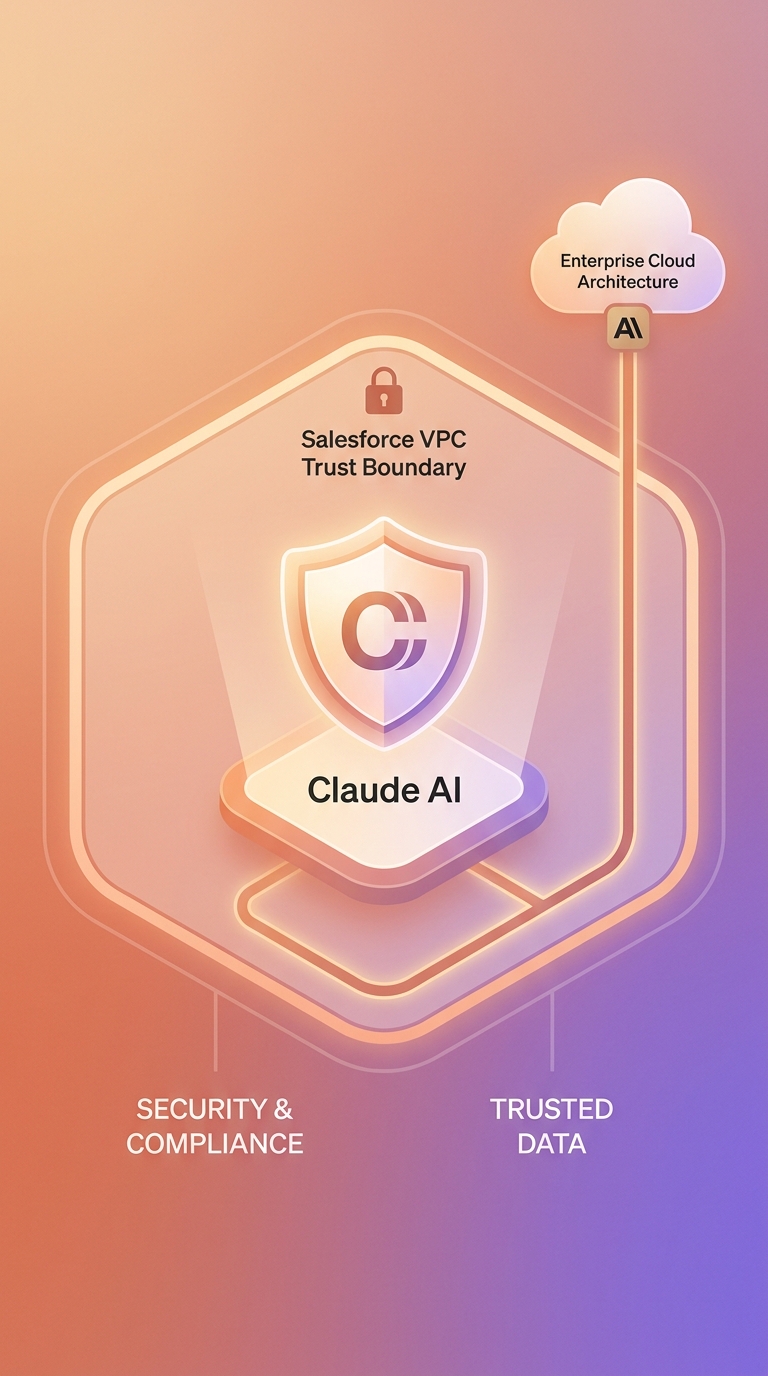
Tháng 10/2025, Anthropic và Salesforce công bố quan hệ đối tác mở rộng: Claude trở thành LLM đầu tiên được tích hợp hoàn toàn bên trong "trust boundary" của Salesforce. Toàn bộ traffic dữ liệu không bao giờ rời khỏi môi trường bảo mật riêng của Salesforce. Với Agentforce đang ghi nhận ARR tăng trưởng 330% so với cùng kỳ năm ngoái, đây là thời điểm phù hợp để bắt đầu tích hợp.
Bài viết này hướng dẫn bạn từng bước xây dựng tích hợp Claude + Salesforce thực tế, từ cấu hình OAuth cơ bản đến Agentforce 360 qua MCP. Bạn sẽ có code Python chạy được ngay, không phải lý thuyết chung chung.
Tìm hiểu thêm về Claude API và các tích hợp phổ biến tại trang pillar của chúng tôi.
Key Takeaways - Từ tháng 10/2025, Claude là LLM đầu tiên trong Salesforce Virtual Private Cloud, phù hợp cho tài chính, y tế và bảo hiểm (Anthropic, 2025). - Agentforce xử lý 380.000+ tương tác khách hàng tự động với 84% tỷ lệ giải quyết không cần người can thiệp (Salesforce, 2025). - 87% tổ chức bán hàng đã triển khai AI; AI giảm 36% thời gian soạn email và 34% thời gian nghiên cứu prospect (Salesforce State of Sales 2026).
Bạn cần gì trước khi bắt đầu?
Để hoàn thành hướng dẫn này trong khoảng 45-60 phút, bạn cần:
Tài khoản và API keys: - Tài khoản Salesforce Developer Edition (miễn phí tại developer.salesforce.com) - Anthropic API key (đăng ký tại console.anthropic.com) - Python 3.9 trở lên
Kiến thức cơ bản: - Quen với Salesforce objects (Opportunity, Lead, Case, Account) - Hiểu REST API và JSON - Biết Python ở mức cơ bản
Tested trên: macOS 14, Ubuntu 22.04, Windows 11 (WSL2)
Theo khảo sát Salesforce State of Sales 2026 với 4.050 chuyên gia bán hàng tại 22 quốc gia, 87% tổ chức bán hàng đã triển khai AI ở một dạng nào đó. Nếu bạn chưa bắt đầu, bạn đang đi sau đa số.
Chúng ta xây dựng gì ở cuối bài này?
Sau khi hoàn thành hướng dẫn, bạn sẽ có ba tính năng hoạt động được:
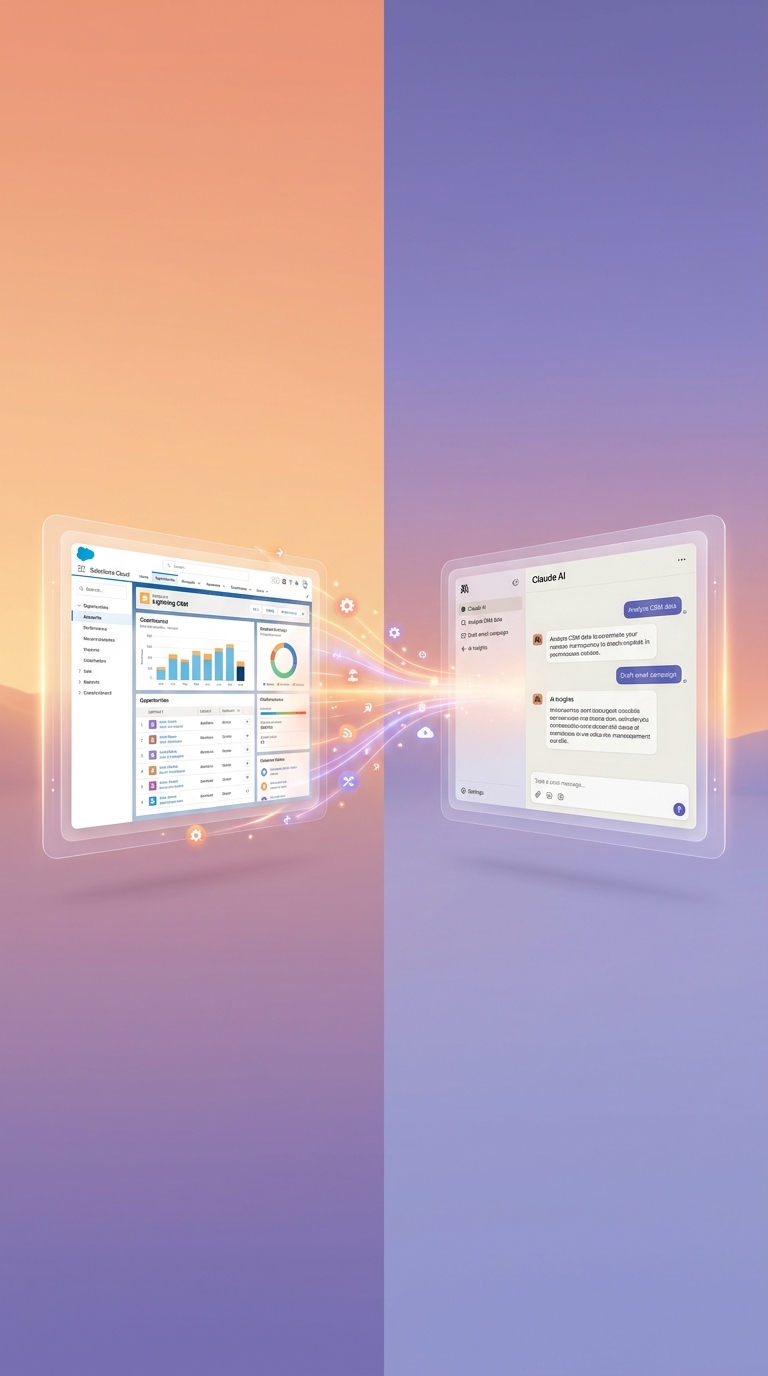
Tính năng 1 - Query CRM bằng ngôn ngữ tự nhiên: Đặt câu hỏi bằng tiếng Việt, Claude tự động truy vấn Salesforce và trả lời với dữ liệu thật.
Tính năng 2 - Tự động soạn email follow-up: Claude đọc lịch sử deal và tạo email cá nhân hóa trong vài giây.
Tính năng 3 - Agent hỗ trợ khách hàng: Tích hợp Claude vào Case management với khả năng phân loại và phản hồi tự động.
Kiến trúc tổng quan:
[Claude API] <-> [Python Middleware] <-> [Salesforce REST API]
                        |
              [Salesforce Objects: Leads, Opportunities, Cases]
Xem thêm Claude Webhook patterns cho automation pipeline nâng cao.
Bước 1: Thiết lập Connected App và kết nối Salesforce API
Bước thiết lập mất khoảng 10 phút và tạo ra credentials để Python code của bạn xác thực với Salesforce. Salesforce dùng OAuth 2.0, và bài này sử dụng Username-Password flow vì đơn giản nhất để bắt đầu.
Tạo Connected App trong Salesforce
- Đăng nhập Salesforce, vào Setup và tìm "App Manager"
- Click New Connected App
- Điền thông tin cần thiết:
- Connected App Name:
Claude Integration - API Name:
Claude_Integration - Contact Email: email của bạn
- Bật Enable OAuth Settings
- Callback URL:
http://localhost:8080/callback - Selected OAuth Scopes: chọn
apivàrefresh_token - Save và chờ 2-10 phút để Salesforce kích hoạt
Cài đặt dependencies và cấu hình
pip install simple-salesforce anthropic python-dotenv
Tạo file .env:
# .env
[email protected]
SF_PASSWORD=YourSalesforcePassword
SF_SECURITY_TOKEN=YourSecurityToken
SF_CONSUMER_KEY=3MVG9...
SF_CONSUMER_SECRET=abc123...
ANTHROPIC_API_KEY=sk-ant-api03-...
Lưu ý về Security Token: Mỗi lần bạn đổi password Salesforce, security token tự động reset. Vào Setup > My Personal Information > Reset My Security Token để nhận token mới qua email.
Kiểm tra kết nối
# test_connection.py
from simple_salesforce import Salesforce
import os
from dotenv import load_dotenv

load_dotenv()

sf = Salesforce(
    username=os.getenv("SF_USERNAME"),
    password=os.getenv("SF_PASSWORD"),
    security_token=os.getenv("SF_SECURITY_TOKEN"),
    consumer_key=os.getenv("SF_CONSUMER_KEY"),
    consumer_secret=os.getenv("SF_CONSUMER_SECRET")
)

result = sf.query("SELECT Id, Name, Amount FROM Opportunity LIMIT 5")
print(f"Connected! Found {result['totalSize']} opportunities")
Expected output:
Connected! Found 5 opportunities
Common errors:
| Lỗi | Nguyên nhân | Cách sửa |
|---|---|---|
INVALID_LOGIN |
Sai password hoặc security token | Kiểm tra token, reset nếu cần |
INSUFFICIENT_ACCESS |
Thiếu OAuth scopes | Thêm api scope trong Connected App |
ConnectionRefused |
Firewall hoặc network | Kiểm tra allowlist IP trong Salesforce Setup |
Theo thống kê của IBM Institute for Business Value (State of Salesforce 2025-2026), các doanh nghiệp kết nối external data platforms với Salesforce có khả năng đạt được customer 360 view cao hơn 2,7 lần so với các doanh nghiệp không kết nối. Bước setup này chính là nền tảng của điều đó.
Bước 2: Xây dựng Claude-Salesforce Query Engine bằng Function Calling
Với function calling, Claude tự động chọn và thực thi SOQL query phù hợp dựa trên câu hỏi tự nhiên. Bạn không cần dạy Claude SOQL - chỉ cần mô tả schema cho nó.
In 2026, Anthropic và Salesforce mở rộng quan hệ đối tác với MCP-based Agentforce 360 extensions, theo thông báo chính thức ngày 2/2/2026 trên Salesforce News. Điều này xác nhận function calling là hướng tích hợp được khuyến nghị chính thức.
# salesforce_claude_engine.py
import anthropic
from simple_salesforce import Salesforce
import json
import os
from dotenv import load_dotenv

load_dotenv()

client = anthropic.Anthropic(api_key=os.getenv("ANTHROPIC_API_KEY"))
sf = Salesforce(
    username=os.getenv("SF_USERNAME"),
    password=os.getenv("SF_PASSWORD"),
    security_token=os.getenv("SF_SECURITY_TOKEN"),
    consumer_key=os.getenv("SF_CONSUMER_KEY"),
    consumer_secret=os.getenv("SF_CONSUMER_SECRET")
)

# Định nghĩa tools cho Claude
tools = [
    {
        "name": "query_salesforce",
        "description": "Query Salesforce để lấy dữ liệu Opportunities, Leads, Accounts, Cases.",
        "input_schema": {
            "type": "object",
            "properties": {
                "soql_query": {
                    "type": "string",
                    "description": "SOQL query hợp lệ. Ví dụ: SELECT Id, Name, Amount FROM Opportunity WHERE StageName = 'Prospecting' LIMIT 10"
                }
            },
            "required": ["soql_query"]
        }
    }
]

def execute_tool(tool_name, tool_input):
    if tool_name == "query_salesforce":
        result = sf.query(tool_input["soql_query"])
        # Giới hạn 20 records để tránh context quá lớn
        return json.dumps(result["records"][:20], default=str)
    return "Tool not found"

def ask_claude_about_crm(question: str) -> str:
    messages = [{"role": "user", "content": question}]

    system_prompt = """Bạn là AI assistant chuyên về Salesforce CRM cho doanh nghiệp Việt Nam.
Bạn có thể query Salesforce để trả lời câu hỏi về deals, khách hàng và pipeline.
Luôn trả lời bằng tiếng Việt. Đưa ra insight cụ thể từ dữ liệu thật."""

    while True:
        response = client.messages.create(
            model="claude-sonnet-4-6",
            max_tokens=2048,
            system=system_prompt,
            tools=tools,
            messages=messages
        )

        if response.stop_reason == "tool_use":
            tool_results = []
            for block in response.content:
                if block.type == "tool_use":
                    result = execute_tool(block.name, block.input)
                    tool_results.append({
                        "type": "tool_result",
                        "tool_use_id": block.id,
                        "content": result
                    })
            messages.append({"role": "assistant", "content": response.content})
            messages.append({"role": "user", "content": tool_results})
        else:
            return response.content[0].text

# Chạy thử
if __name__ == "__main__":
    answer = ask_claude_about_crm(
        "Tổng giá trị pipeline của chúng tôi là bao nhiêu? Deal nào đang bị stuck trên 30 ngày?"
    )
    print(answer)
Expected output:
Tổng giá trị pipeline hiện tại: 1.245.000 USD (23 deals active).

3 deals đang bị stuck trên 30 ngày:
1. "Acme Corp - Enterprise License" (250.000 USD) - Stuck ở Negotiation 45 ngày
2. "TechStart Ltd" (80.000 USD) - Không có activity trong 30 ngày qua
3. "Global Finance" (120.000 USD) - Chờ approval từ phía khách hàng 3 tuần

Đề xuất: Liên hệ ngay "Acme Corp" - deal giá trị cao nhất và quá hạn follow-up.
Watch out: SOQL có giới hạn 50.000 records/query. Luôn dùng
LIMITvà xử lý pagination nếu dataset lớn.
Xem thêm cách Claude xử lý streaming responses cho query engine real-time.
Bước 3: Tự động hóa Email Follow-up dựa trên dữ liệu CRM
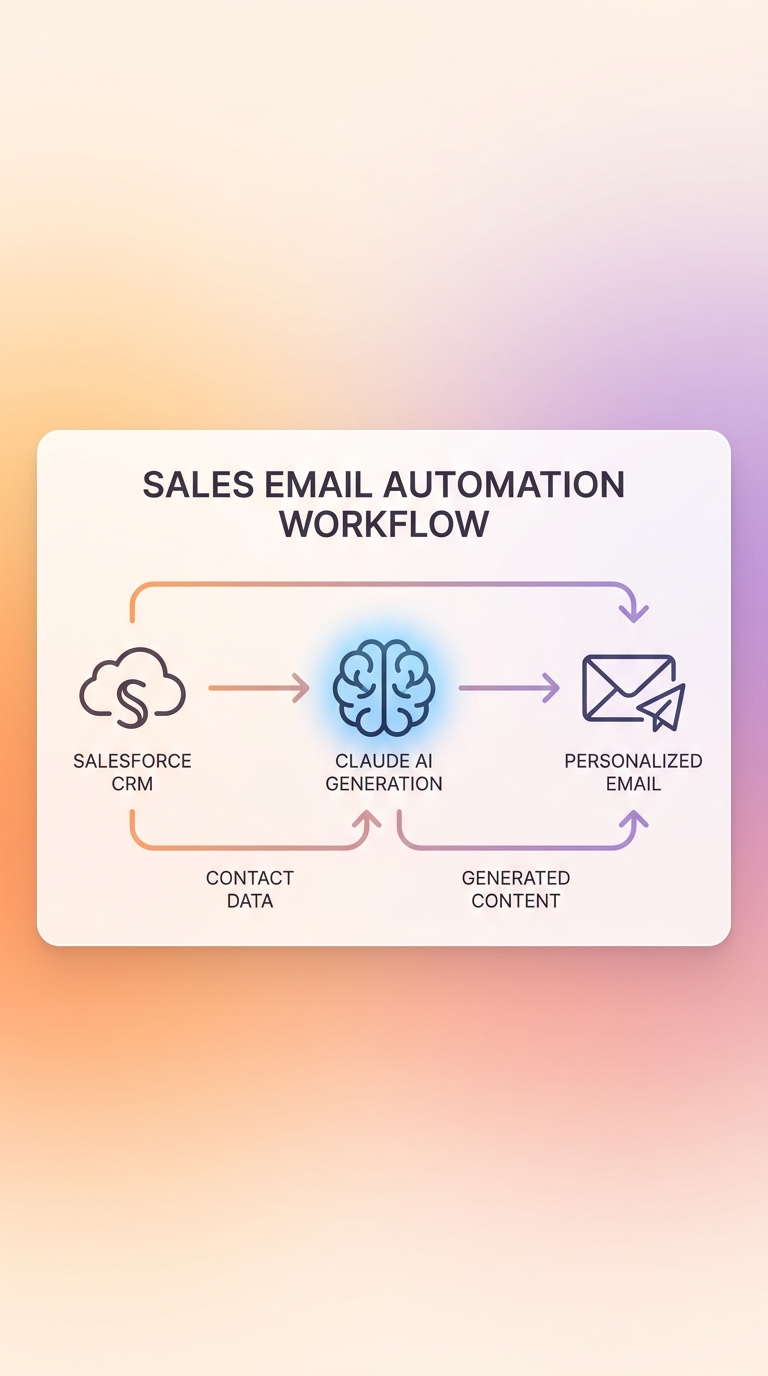
Bước này xây dựng tính năng được sales teams yêu thích nhất: Claude đọc lịch sử deal và tự động soạn email cá nhân hóa, sẵn sàng để review và gửi.
Theo Salesforce State of Sales 2026, AI giúp giảm 36% thời gian soạn email. Với tool dưới đây, một rep không còn phải bắt đầu từ trang trắng - chỉ cần sửa vài từ rồi nhấn Send.
# email_generator.py
import anthropic
from simple_salesforce import Salesforce
import json
import os
from dotenv import load_dotenv

load_dotenv()

client = anthropic.Anthropic(api_key=os.getenv("ANTHROPIC_API_KEY"))
sf = Salesforce(
    username=os.getenv("SF_USERNAME"),
    password=os.getenv("SF_PASSWORD"),
    security_token=os.getenv("SF_SECURITY_TOKEN"),
    consumer_key=os.getenv("SF_CONSUMER_KEY"),
    consumer_secret=os.getenv("SF_CONSUMER_SECRET")
)

def generate_followup_email(opportunity_id: str) -> dict:
    """Tạo email follow-up cá nhân hóa từ deal history Salesforce."""

    # Lấy thông tin deal
    opp = sf.Opportunity.get(opportunity_id)

    # Lấy contact chính của deal
    contact_query = sf.query(
        f"SELECT Contact.FirstName, Contact.LastName, Contact.Title, Contact.Email "
        f"FROM OpportunityContactRole WHERE OpportunityId = '{opportunity_id}' "
        f"AND IsPrimary = true LIMIT 1"
    )

    # Lấy lịch sử hoạt động 5 gần nhất
    activities = sf.query(
        f"SELECT Subject, Description, ActivityDate FROM Task "
        f"WHERE WhatId = '{opportunity_id}' "
        f"ORDER BY ActivityDate DESC LIMIT 5"
    ).get("records", [])

    contact = {}
    if contact_query["records"]:
        contact = contact_query["records"][0].get("Contact", {})

    # Xây dựng context cho Claude
    context = f"""
Deal: {opp.get("Name")}
Stage: {opp.get("StageName")}
Amount: {opp.get("Amount", 0):,.0f} USD
Close Date: {opp.get("CloseDate")}

Contact: {contact.get("FirstName", "")} {contact.get("LastName", "")} - {contact.get("Title", "")}

Recent Activities:
{chr(10).join([f"- {a.get('Subject')}: {a.get('Description', '')[:120]}" for a in activities]) or "Chua co activity nao"}
"""

    response = client.messages.create(
        model="claude-sonnet-4-6",
        max_tokens=800,
        messages=[{
            "role": "user",
            "content": f"""Dựa trên thông tin deal Salesforce, soạn email follow-up chuyên nghiệp bằng tiếng Việt.

{context}

Yêu cầu:
- Tông thân thiện, chuyên nghiệp
- Đề cập cụ thể đến tình trạng deal
- Đề xuất next step rõ ràng
- 150-200 từ
- Format: Chủ đề: [subject] / Nội dung: [body]"""
        }]
    )

    text = response.content[0].text.strip()
    lines = text.split("\n")
    subject = lines[0].replace("Chủ đề:", "").strip() if lines else "Follow-up"
    body = "\n".join(lines[2:]).strip() if len(lines) > 2 else text

    return {
        "subject": subject,
        "body": body,
        "opportunity_name": opp.get("Name"),
        "contact_email": contact.get("Email")
    }

if __name__ == "__main__":
    result = generate_followup_email("006XXXXXXXXXXXXXXXXX")
    print(f"To: {result['contact_email']}")
    print(f"Subject: {result['subject']}")
    print(f"\n{result['body']}")
Theo số liệu từ Bain & Company (2025), sellers hiện chỉ dành 25% thời gian thực sự bán hàng. Phần còn lại là các tác vụ hành chính như soạn email, cập nhật CRM và lên lịch meeting. Email automation là bước đầu tiên để đổi lại con số đó.
Tích hợp thêm với Slack để gửi draft email qua bot thay vì chạy script.
Bước 4: Triển khai Agentforce 360 với Claude qua MCP
Đây là bước tiếp theo sau khi query và email automation: Claude có thể thực thi các action Salesforce trực tiếp thay vì chỉ đọc dữ liệu.
Ngày 2/2/2026, Salesforce và Anthropic ra mắt MCP-based Agentforce 360 extensions chính thức, bắt đầu với Slack (Salesforce News, Feb 2026). Người dùng có thể trigger Salesforce actions ngay từ Claude. Đây là bước nhảy vọt từ "hỏi CRM" sang "làm việc trong CRM qua Claude".
# agentforce_actions.py
"""
Module thực thi Salesforce actions từ Claude.
Dùng cho MCP server hoặc standalone automation.
"""
import json
from simple_salesforce import Salesforce
import os
from dotenv import load_dotenv

load_dotenv()

sf = Salesforce(
    username=os.getenv("SF_USERNAME"),
    password=os.getenv("SF_PASSWORD"),
    security_token=os.getenv("SF_SECURITY_TOKEN"),
    consumer_key=os.getenv("SF_CONSUMER_KEY"),
    consumer_secret=os.getenv("SF_CONSUMER_SECRET")
)

# Định nghĩa các action Salesforce cho Claude tools
SALESFORCE_ACTION_TOOLS = [
    {
        "name": "create_task",
        "description": "Tạo Task mới trong Salesforce liên kết với Opportunity hoặc Contact",
        "input_schema": {
            "type": "object",
            "properties": {
                "subject": {"type": "string", "description": "Tiêu đề task"},
                "related_to_id": {"type": "string", "description": "Salesforce Object ID"},
                "due_date": {"type": "string", "description": "Ngày hết hạn YYYY-MM-DD"},
                "description": {"type": "string", "description": "Mô tả chi tiết"}
            },
            "required": ["subject", "related_to_id", "due_date"]
        }
    },
    {
        "name": "update_opportunity_stage",
        "description": "Cập nhật Stage của Opportunity",
        "input_schema": {
            "type": "object",
            "properties": {
                "opportunity_id": {"type": "string"},
                "new_stage": {
                    "type": "string",
                    "enum": ["Prospecting", "Qualification", "Proposal", "Negotiation", "Closed Won", "Closed Lost"]
                }
            },
            "required": ["opportunity_id", "new_stage"]
        }
    },
    {
        "name": "create_case",
        "description": "Tạo Case hỗ trợ khách hàng mới",
        "input_schema": {
            "type": "object",
            "properties": {
                "subject": {"type": "string"},
                "account_id": {"type": "string"},
                "description": {"type": "string"},
                "priority": {"type": "string", "enum": ["High", "Medium", "Low"]}
            },
            "required": ["subject", "account_id", "description", "priority"]
        }
    }
]

def execute_salesforce_action(action_name: str, params: dict) -> str:
    """Thực thi Salesforce action và trả về kết quả."""
    if action_name == "create_task":
        result = sf.Task.create({
            "Subject": params["subject"],
            "WhatId": params["related_to_id"],
            "ActivityDate": params["due_date"],
            "Description": params.get("description", ""),
            "Status": "Not Started"
        })
        return f"Task created successfully: {result['id']}"

    elif action_name == "update_opportunity_stage":
        sf.Opportunity.update(params["opportunity_id"], {
            "StageName": params["new_stage"]
        })
        return f"Opportunity moved to: {params['new_stage']}"

    elif action_name == "create_case":
        result = sf.Case.create({
            "Subject": params["subject"],
            "AccountId": params["account_id"],
            "Description": params["description"],
            "Priority": params["priority"],
            "Status": "New"
        })
        return f"Case created: {result['id']}"

    return "Action not recognized"
Kết nối với Agentforce UI trong Salesforce:
Sau khi code chạy được, bạn đăng ký endpoint trong Salesforce Setup:
Setup -> AI -> External Connections -> Add MCP Server
Nhập URL của server (ví dụ: https://your-ngrok-url.ngrok.io/mcp). Salesforce tự load danh sách available actions từ server.
Watch out: Agentforce MCP integration hiện ở giai đoạn GA rolling out theo region. Kiểm tra Salesforce Release Notes để biết availability tại region của bạn.
Bước 5: Kiểm tra và xác nhận hệ thống hoạt động
Chạy bộ test này để đảm bảo toàn bộ integration hoạt động trước khi deploy.
# test_integration.py
import unittest
from unittest.mock import Mock, patch, MagicMock

class TestClaudeSalesforceIntegration(unittest.TestCase):

    def setUp(self):
        """Setup mock Salesforce connection."""
        self.sf_mock = Mock()
        self.sf_mock.query.return_value = {
            "totalSize": 3,
            "records": [
                {"Name": "Deal A", "Amount": 50000, "StageName": "Prospecting"},
                {"Name": "Deal B", "Amount": 120000, "StageName": "Negotiation"},
                {"Name": "Deal C", "Amount": 75000, "StageName": "Proposal"}
            ]
        }

    def test_sf_connection_returns_records(self):
        """Test rằng Salesforce query trả về đúng format."""
        result = self.sf_mock.query("SELECT Id, Name FROM Opportunity LIMIT 5")
        self.assertEqual(result["totalSize"], 3)
        self.assertEqual(len(result["records"]), 3)

    def test_task_creation(self):
        """Test tạo Task trong Salesforce."""
        self.sf_mock.Task = Mock()
        self.sf_mock.Task.create.return_value = {"id": "00TXXXXXXXXXXXXXXXXX", "success": True}
        result = self.sf_mock.Task.create({
            "Subject": "Test Task",
            "WhatId": "006XXXXXXXXXXXXXXXXX",
            "ActivityDate": "2026-05-15",
            "Status": "Not Started"
        })
        self.assertTrue(result["success"])
        print(f"Task created: {result['id']}")

if __name__ == "__main__":
    unittest.main(verbosity=2)
Expected output:
test_sf_connection_returns_records ... OK
test_task_creation ... OK
----------------------------------------------------------------------
Ran 2 tests in 0.003s OK
Manual Verification Checklist:
- [ ]
python test_connection.pytrả vềConnected! Found X opportunities - [ ] Query engine trả lời câu hỏi bằng tiếng Việt với dữ liệu từ CRM thật
- [ ] Email được generate trong dưới 5 giây
- [ ] Agentforce action tools load đúng trong Salesforce Setup
Troubleshooting phổ biến:
| Vấn đề | Triệu chứng | Giải pháp |
|---|---|---|
INVALID_LOGIN |
Authentication failed | Reset security token qua email |
anthropic.BadRequestError |
Context too large | Giảm số records, thêm LIMIT vào SOQL |
SOQL_EXCEPTION |
Invalid query | Test SOQL trước trên Salesforce Developer Console |
| Response chậm > 10s | Claude timeout | Bật streaming (xem b-f9) hoặc chia nhỏ context |
| MCP không kết nối | Connection refused | Kiểm tra firewall, dùng ngrok cho local testing |
Kết quả thực tế: Bạn có thể mong đợi gì?
Tích hợp Claude + Salesforce không chỉ là kỹ thuật thú vị - nó đang tạo ra kết quả đo được.
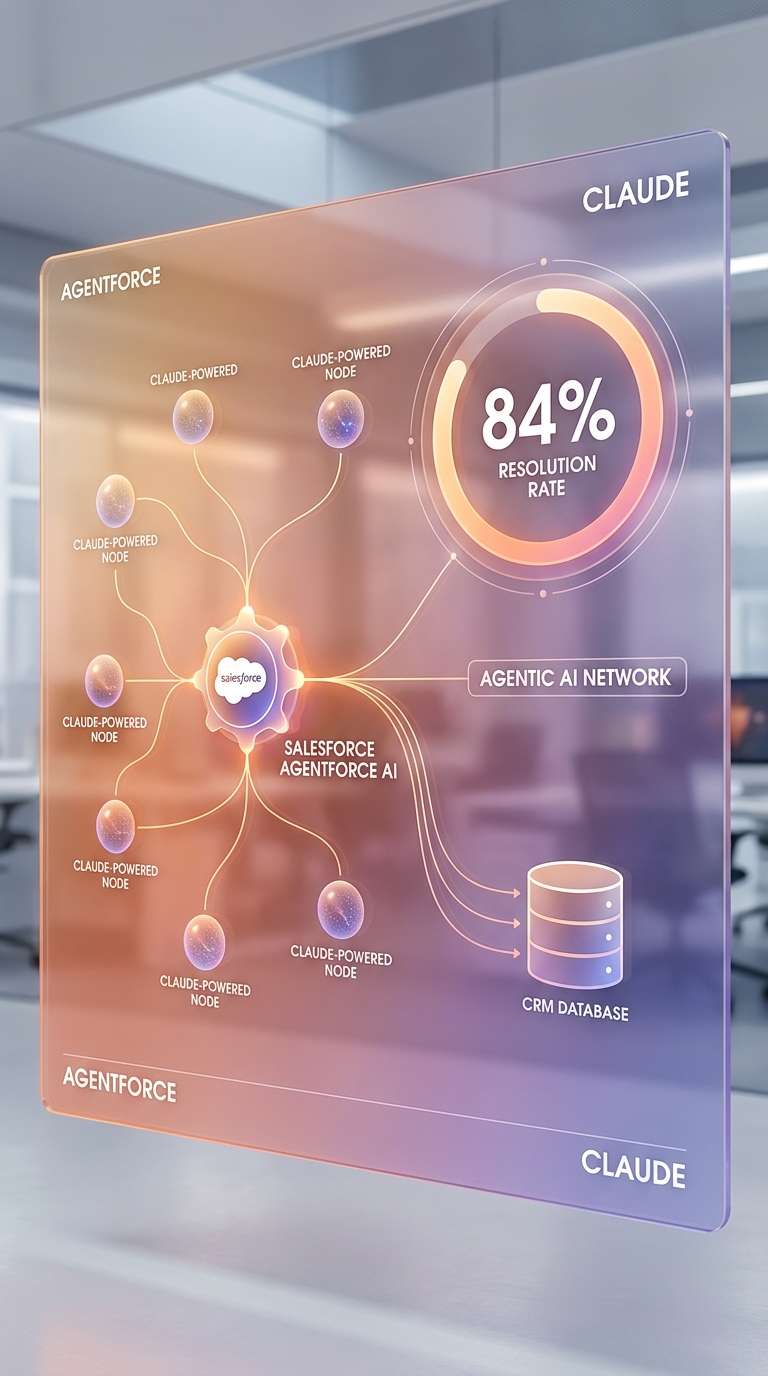
Theo Salesforce Q3 FY26 Earnings (tháng 12/2025), Agentforce đã xử lý hơn 380.000 tương tác hỗ trợ khách hàng hoàn toàn tự động, với tỷ lệ giải quyết tự động đạt 84% và chỉ 2% cases cần can thiệp của con người (Salesforce, Dec 2025). Đây là mức hiệu quả mà rất ít team CS thuần human có thể đạt được.
Về phía bán hàng, Bain & Company (Technology Report 2025) ghi nhận các tổ chức triển khai AI sớm đạt cải thiện win rate trên 30%. Sellers hiện chỉ dành 25% thời gian thực sự bán hàng; AI automation có thể kéo con số này lên đáng kể bằng cách xử lý các tác vụ hành chính.
Gartner dự báo 40% ứng dụng enterprise sẽ có AI agents tích hợp vào cuối năm 2026, tăng từ chưa đến 5% năm 2025 (Gartner Press Release, Aug 2025). Bạn đang ở đâu trong con đường này?
Tìm hiểu Claude Batch API để xử lý dữ liệu CRM quy mô lớn hơn.
Các bước tiếp theo để mở rộng hệ thống
Bây giờ bạn đã có nền tảng, đây là ba hướng mở rộng phổ biến nhất:
1. Phân tích sentiment email khách hàng: Kết nối Claude với Email-to-Case của Salesforce. Claude đọc email incoming, phân loại cảm xúc, ưu tiên case, và suggest phản hồi sẵn sàng để agent gửi.
2. Deal intelligence tự động: Claude phân tích patterns trong lịch sử deals (deal size, industry, cycle length, competitor mentions) và đưa ra dự báo probability bổ sung cho Einstein Analytics.
3. Slack bidirectional: Với MCP integration từ tháng 2/2026, Claude có thể trigger Salesforce actions ngay từ Slack. Xem hướng dẫn xây dựng Claude Slack bot để setup.
Official resources: - Anthropic + Salesforce Partnership - Salesforce Agentforce MCP Documentation - Claude API Reference - Salesforce Developer Edition
Câu hỏi thường gặp
Nên dùng Claude hay Einstein GPT cho Salesforce?
Claude phù hợp hơn khi bạn cần xử lý ngôn ngữ phức tạp, đa ngôn ngữ (đặc biệt tiếng Việt), hoặc tích hợp với data sources bên ngoài Salesforce. Einstein GPT tích hợp sâu hơn với Salesforce native features nhưng kém linh hoạt cho custom use cases. Từ tháng 10/2025, Claude là lựa chọn chính thức trong Salesforce trust boundary, được khuyến nghị cho regulated industries (Anthropic, 2025).
Tích hợp Claude + Salesforce có tốn kém không?
Chi phí gồm Anthropic API (khoảng $3/1M input tokens với claude-sonnet-4-6) và Salesforce API calls (miễn phí trong Developer Edition). Với một sales team 10 người sử dụng thường xuyên, chi phí Claude API ước khoảng 50-200 USD/tháng. Agentforce cần license riêng từ Salesforce. Theo nghiên cứu, ROI trung bình của CRM tích hợp AI là $8,71 cho mỗi $1 đầu tư (Teamgate, State of CRM 2025).
Dữ liệu Salesforce có an toàn khi gửi cho Claude không?
Có, với điều kiện bạn sử dụng tích hợp chính thức. Theo thông báo của Anthropic và Salesforce (tháng 10/2025), Claude là LLM đầu tiên được tích hợp trong Salesforce Virtual Private Cloud. Toàn bộ data traffic giữ trong môi trường bảo mật riêng của Salesforce, đáp ứng yêu cầu của tài chính, y tế, bảo hiểm và bảo mật (Anthropic, Oct 2025).
Tìm hiểu thêm các integration patterns bảo mật cho Claude.
Làm sao debug khi Claude trả lời sai về dữ liệu CRM?
Bật logging cho cả SOQL queries và Claude responses. Hai nguyên nhân phổ biến nhất: SOQL query thiếu điều kiện lọc nên trả về records không liên quan, hoặc context quá lớn khiến Claude bỏ sót thông tin quan trọng. Giải pháp: thêm ví dụ cụ thể vào system prompt, giới hạn records dưới 20, và print ra SOQL query trước khi gửi cho Salesforce.
Có thể dùng Claude với Salesforce mà không cần code không?
Có. Salesforce Developer Edition hiện hỗ trợ Claude Sonnet 4.6 qua Agentforce Vibes IDE với 110 free requests/tháng và 1,5M tokens miễn phí. Đây là cách nhanh nhất để thử nghiệm. Tuy nhiên, tùy chỉnh sâu - như query engine tự động hoặc email generation theo business rules riêng - vẫn cần code như hướng dẫn trong bài này.
Kết luận
Tích hợp Claude với Salesforce đang xảy ra ngay bây giờ, không phải tương lai. Quan hệ đối tác chính thức từ tháng 10/2025 đã xác nhận Claude là LLM được Salesforce endorses cho enterprise. Agentforce ARR tăng 330% YoY trong Q3 FY26 và 84% tỷ lệ giải quyết tự động cho thấy con đường này hoạt động.
Với hướng dẫn trên, bạn đã có đủ code để bắt đầu: query CRM bằng tiếng Việt, tự động hóa email follow-up, và agent thực thi Salesforce actions qua MCP.
Hãy bắt đầu nhỏ: triển khai email automation cho một product line, đo kết quả, rồi mở rộng. Bước đầu tiên luôn là bước quan trọng nhất.
Khám phá toàn bộ Claude integration playbook cho doanh nghiệp tại trang hub. Tìm hiểu tích hợp Claude với Google Workspace để mở rộng automation sang email và calendar.
Click để xem full source code (all-in-one)
# full_claude_salesforce_integration.py
# Requirements: pip install simple-salesforce anthropic python-dotenv

import anthropic
from simple_salesforce import Salesforce
import json
import os
from dotenv import load_dotenv

load_dotenv()

# --- Setup connections ---
sf = Salesforce(
    username=os.getenv("SF_USERNAME"),
    password=os.getenv("SF_PASSWORD"),
    security_token=os.getenv("SF_SECURITY_TOKEN"),
    consumer_key=os.getenv("SF_CONSUMER_KEY"),
    consumer_secret=os.getenv("SF_CONSUMER_SECRET")
)
client = anthropic.Anthropic(api_key=os.getenv("ANTHROPIC_API_KEY"))

# --- Tool definitions ---
tools = [
    {
        "name": "query_salesforce",
        "description": "Query Salesforce CRM data using SOQL",
        "input_schema": {
            "type": "object",
            "properties": {
                "soql_query": {"type": "string", "description": "Valid SOQL query with LIMIT clause"}
            },
            "required": ["soql_query"]
        }
    }
]

# --- Main CRM query engine ---
def ask_crm(question: str) -> str:
    messages = [{"role": "user", "content": question}]
    system = "Ban la AI assistant chuyen ve Salesforce CRM. Tra loi bang tieng Viet. Dung tools de query du lieu thuc."

    while True:
        resp = client.messages.create(
            model="claude-sonnet-4-6",
            max_tokens=2048,
            system=system,
            tools=tools,
            messages=messages
        )
        if resp.stop_reason == "tool_use":
            tool_results = []
            for block in resp.content:
                if block.type == "tool_use" and block.name == "query_salesforce":
                    data = sf.query(block.input["soql_query"])
                    tool_results.append({
                        "type": "tool_result",
                        "tool_use_id": block.id,
                        "content": json.dumps(data["records"][:20], default=str)
                    })
            messages.append({"role": "assistant", "content": resp.content})
            messages.append({"role": "user", "content": tool_results})
        else:
            return resp.content[0].text

if __name__ == "__main__":
    print(ask_crm("Tong gia tri pipeline hien tai va deal nao dang bi stuck tren 30 ngay?"))
Nguon tham khao: - Anthropic, "Salesforce and Anthropic Expand Partnership", truy cap 2026-05-02, https://www.anthropic.com/news/salesforce-anthropic-expanded-partnership - Salesforce, "Q3 FY26 Earnings Press Release", truy cap 2026-05-02, https://www.salesforce.com/news/press-releases/2025/12/03/fy26-q3-earnings/ - Salesforce, "Salesforce Anthropic Trusted Context AI Actions on Claude", truy cap 2026-05-02, https://www.salesforce.com/news/stories/salesforce-anthropic-trusted-context-ai-actions-on-claude/ - Salesforce, "State of Sales 2026 Announcement", truy cap 2026-05-02, https://www.salesforce.com/news/stories/state-of-sales-report-announcement-2026/ - Gartner, "40% of Enterprise Apps Will Feature Task-Specific AI Agents by 2026", truy cap 2026-05-02, https://www.gartner.com/en/newsroom/press-releases/2025-08-26-gartner-predicts-40-percent-of-enterprise-apps-will-feature-task-specific-ai-agents-by-2026-up-from-less-than-5-percent-in-2025 - Bain and Company, "AI Transforming Productivity - Technology Report 2025", truy cap 2026-05-02, https://www.bain.com/insights/ai-transforming-productivity-sales-remains-new-frontier-technology-report-2025/ - IBM Institute for Business Value, "State of Salesforce 2025-2026", truy cap 2026-05-02, https://www.ibm.com/thought-leadership/institute-business-value/en-us/report/state-of-salesforce-2025 - Cyntexa, "Agentforce Statistics and Trends 2025", truy cap 2026-05-02, https://cyntexa.com/blog/agentforce-statistics-and-trends/